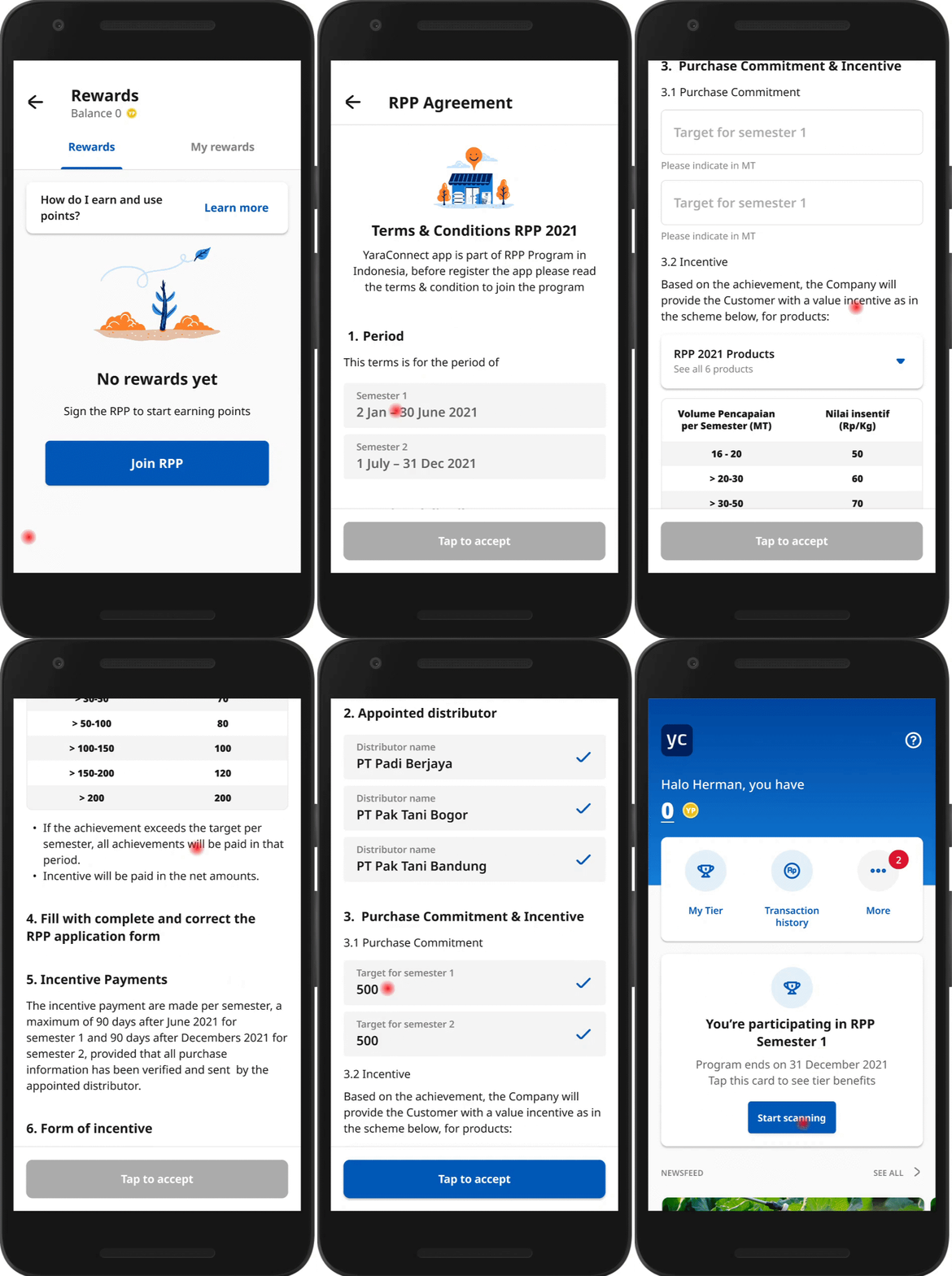
Step 1 Tap More on the home screen and select Rewards from the menu list.
Step 2
On the Rewards screen, tap Join RPP if you have not joined the program yet.
Step 3 You will be directed to the RPP Agreement. Review the terms and conditions, and if acceptable to you, complete the agreement and Tap to accept to join the program.
Step 4 Once accepted, a pop-up You're participating! notification will be displayed across the screen and you can start earning points by scanning Yara products.